Android XR Tools DP4 and Engine Updates
You are sitting at your desk, ready to test a spatial UI interaction, but your test headset is dead, and the target hardware isn't even shipping at scale yet. We've been watching the spatial hardware bottleneck closely, and Google’s latest move aims to fix it. Alongside new updates from Google I/O and the Augmented World Expo (AWE), Google released Android XR Developer Preview 4. This release shifts the focus from hardware dependencies to local laptop iteration, making spatial development look a lot more like standard software engineering.
Summary
Google has officially launched Android XR Developer Preview 4, targeting builders creating experiences for the Samsung Galaxy XR and compatible smart eyewear. A core focus of this release is eliminating hardware friction. Developers can now fully simulate, test, and iterate on spatial interactions locally via an upgraded XR Emulator directly inside Android Studio.
For developers targeting lightweight smart glasses, Google introduced the Jetpack Projected library. This library features a new Device Availability API that connects directly into standard Android Lifecycle states. It detects whether a user is wearing the glasses, allowing a connected mobile app to change its UI or behavior instantly. To speed up interface development, Google updated Jetpack Compose Glimmer with specific components optimized for optical see-through text legibility and touchpad navigation.
Immersive spatial developers get Kotlin-first architectural upgrades across core perception libraries. Additionally, Google unveiled an early preview of the Geospatial API for wired XR glasses. This API pairs ARCore for Jetpack XR with Google's Visual Positioning System (VPS), allowing you to anchor persistent digital objects to exact real-world geographical coordinates.
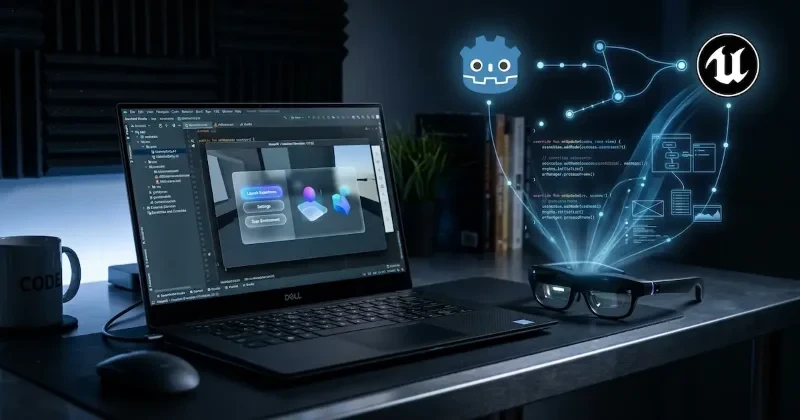
Perhaps the biggest news for game developers is the expanded engine ecosystem. Google added official Android XR support for Unreal Engine and Godot, breaking Unity's previous monopoly on wired XR glasses development. To bridge the gap between these engines and target environments, they launched the Android XR Engine Hub-a Windows desktop utility that pipes a live testing viewport directly into your game engine.
Finally, Google opened applications for the Android XR Developer Catalyst Program. This ecosystem fund provides accepted developers with pre-release hardware, dedicated technical support forums, and launch pipeline assistance for Google Play.
Developer Impact
If you are building an Android application today, you don't need to rebuild from scratch to target spatial environments. The Jetpack Projected library lets you extend your existing mobile codebase into an augmented UI layer. The Device Availability API means you can write clean conditional logic to handle when glasses connect or disconnect, optimizing battery and rendering cycles on the host phone.
For indie hackers and game studios using Godot or Unreal Engine, you are no longer locked into Unity or forced to write complex openXR wrapper logic. The Android XR Engine Hub means you can hit play in your engine's viewport on a Windows machine and instantly see how your assets render, cutting out the tedious build-and-deploy loop that usually kills XR development velocity.
Our Analysis
We think this release is a massive win for the developer ecosystem, primarily because Google is choosing open tooling over proprietary walls. By bringing Godot and Unreal Engine into the fold alongside Unity, Google is avoiding the developer fragmentation that plagued early mobile VR headsets. Providing a robust emulator inside Android Studio proves they understand that developers won’t build for platforms that require expensive, hard-to-source hardware targets just to test a basic button click.
Moving forward, we predict a wave of mobile utility apps launching "companion spatial layers" rather than full-blown immersive worlds. It is much easier to ship an app extension using Jetpack Compose Glimmer than it is to build a full 3D environment. This allows devs to test the market viability of spatial features with minimal overhead.
Compared to Apple’s visionOS workflow-which heavily favors Xcode, Mac hardware, and Swift-Google's approach is explicitly cross-platform. Android XR Engine Hub runs on Windows, targets multiple rendering engines, and leverages existing Android development skills. While Apple focuses on high-end standalone compute, Google is betting on a split ecosystem: lightweight display glasses powered by the phone you already own, alongside dedicated immersive headsets.
| Feature / Capability | Android XR Developer Preview 3 | Android XR Developer Preview 4 |
| Supported Game Engines | Unity Only | Unity, Unreal Engine, and Godot |
| Local Iteration Tooling | Basic Android Studio Tools | Advanced XR Emulator & Android XR Engine Hub (Windows) |
| Eyewear State Tracking | Manual Connection Polling | Native Lifecycle Integration via Device Availability API |
| Geospatial Anchoring | Standard ARCore Coordinates | Visual Positioning System (VPS) Integration |
The following example demonstrates how to use the new Device Availability API within an Android Lifecycle-aware component to adapt your app behavior when display glasses are detected.
import androidx.lifecycle.DefaultLifecycleObserver
import androidx.lifecycle.LifecycleOwner
// Hypothetical package mapping based on the Jetpack Projected library specifications
import androidx.xr.projected.DeviceAvailabilityManager
import androidx.xr.projected.GlassesState

class SpatialExtensionObserver(
    private val availabilityManager: DeviceAvailabilityManager
) : DefaultLifecycleObserver {

    override fun onStart(owner: LifecycleOwner) {
        super.onStart(owner)
        // Start listening to the eyewear availability states
        availabilityManager.registerCallback { state ->
            when (state) {
                is GlassesState.Worn -> {
                    // Optimize mobile UI and project the augmented layout
                    enableGlimmerInterface()
                }
                is GlassesState.Disconnected, is GlassesState.NotWorn -> {
                    // Fallback to standard mobile display rendering
                    disableGlimmerInterface()
                }
            }
        }
    }

    private fun enableGlimmerInterface() {
        // Render touchpad-optimized components and text legible styles
    }

    private fun disableGlimmerInterface() {
        // Revert to standard phone display configurations
    }
}
FAQs
Q: Do I need a physical Samsung Galaxy XR headset to test Android XR apps?
A: No. Developer Preview 4 includes an updated XR Emulator inside Android Studio that allows you to test spatial interactions, layouts, and input states directly from your laptop.
Q: Can I use my existing Jetpack Compose knowledge to build for Android XR?
A: Yes. Google uses Jetpack Compose Glimmer, which adapts standard Compose patterns for optical see-through displays, adding specialized navigation components and text legibility enhancements.
Q: How does the Android XR Engine Hub work for game developers?
A: It is a Windows desktop application that connects to your game engine viewport. It enables real-time testing and immediate code/asset iteration inside Unreal Engine, Godot, or Unity without pushing full builds to hardware.
Q: What is the difference between standard ARCore and the new Geospatial API preview?
A: Standard ARCore tracks local spatial geometry relative to the device. The Geospatial API connects with Google's Visual Positioning System (VPS) to anchor digital assets to high-precision, global real-world coordinates.
Our Take
Google is playing the long game with Android XR, focusing heavily on reducing developer friction before the consumer hardware wave crests. By prioritizing emulator tooling, opening up engine support to Godot and Unreal, and building direct bridges for existing mobile applications, they are clearing the path for practical development. The infrastructure is ready; now it is up to builders to define what spatial utility looks like. We will be tracking the expansion of the Android XR SDK and its real-world implementations closely as apps hit Google Play.