5 stunning pure CSS spinner loaders
In modern web development, keeping your users engaged while content is loading is absolutely crucial. A blank screen causes high bounce rates, but a beautifully designed, theme-appropriate loader communicates that your application is working hard in the background.
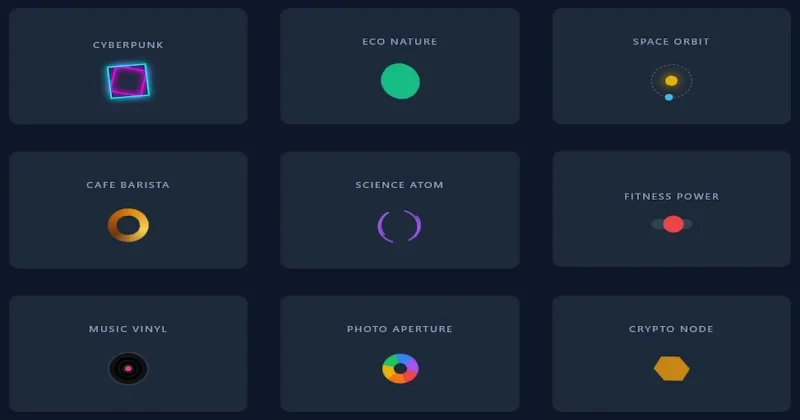
Today, we are thrilled to bring you a collection of 5 stunning, pure CSS spinner loaders. We’ve designed these specifically without heavy frameworks like Bootstrap or Tailwind, meaning you get lightweight, highly performant code that won't bog down your web page's load times.
We crafted each loader with a specific industry theme in mind, making it easier for you to pick the right vibe for your project:
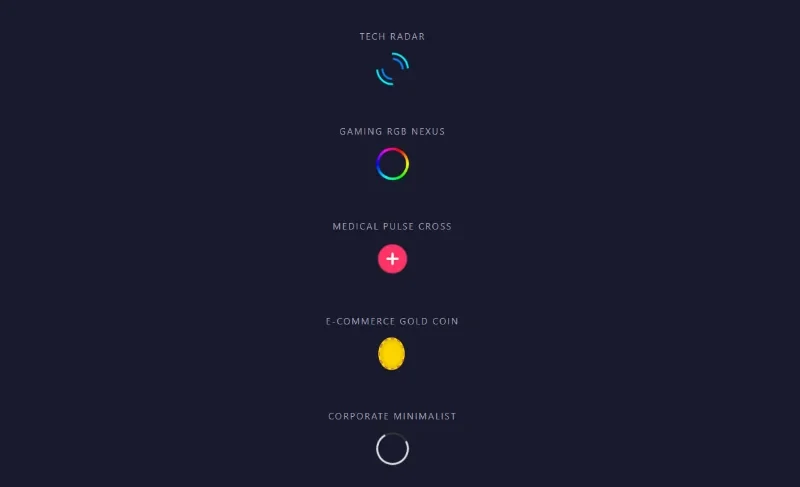
1. The Tech Radar Built for SaaS products, AI dashboards, and tech blogs. This dual-ring neon spinner uses reversed animation directions to create a complex, high-tech scanning effect using nothing but CSS borders.
2. The Gaming RGB Nexus
Perfect for esports platforms, streaming hubs, and gaming communities. We utilized a pure CSS conic-gradient to create a continuous RGB color-shifting edge that feels like a premium gaming peripheral.
3. The Medical Pulse Cross
Designed for healthcare portals, clinic websites, and medical apps. This isn't just a spinner; it's a smooth heartbeat pulse using box-shadow scaling to mimic an active, healthy pulse with a clean white cross in the center.
4. The E-Commerce Gold Coin Ideal for online stores, digital wallets, and checkout screens. We applied a 3D perspective rotation on the Y-axis to create a flipping gold coin, subtly telling your users that their transaction is securely processing.
5. The Corporate Minimalist
The go-to choice for finance, consulting, and minimal portfolio websites. It uses a custom cubic-bezier
How to Use These Loaders in Your Project
Implementing these spinners into your existing codebase is incredibly straightforward.
Step 1: Copy the HTML
Look at the HTML block provided above. You don't need the entire showcase container unless you are testing them all. Simply copy the specific <div> of the loader you want. For example, if you want the medical loader, just copy: <div class="loader-medical"></div>
Step 2: Copy the CSS
Head over to the CSS block. Copy the specific class and its associated @keyframes animation.
Note for the Gaming Loader: If your website has a background color other than #1a1a2e, make sure to update the background-color property inside the .loader-gaming::after pseudo-element so the center hollows out correctly against your site's background!
Step 3: Implement into your Logic
Place the HTML inside your loading overlays or buttons. Use standard JavaScript to toggle its visibility based on your fetch requests or page load events (e.g., document.querySelector('.loader-medical').style.display = 'none';
Enjoy these pure CSS components, and keep building beautiful interfaces with Devignitor!