VS Code 1.126 Track Copilot Cost and Run Parallel Chats
You are deep in a coding flow, letting an AI assistant refactor a legacy module, only to realize later that you burned through your monthly token quota on a single tricky debugging loop. We've been watching this friction closely. As agentic workflows become standard, managing both context size and the financial footprint of our queries is an active developer responsibility. The newly released Visual Studio Code 1.126 targets this issue directly, introducing strict session-level cost visibility, overhauled model customization interfaces, and parallel chat streams inside a single agent host.
News Summary
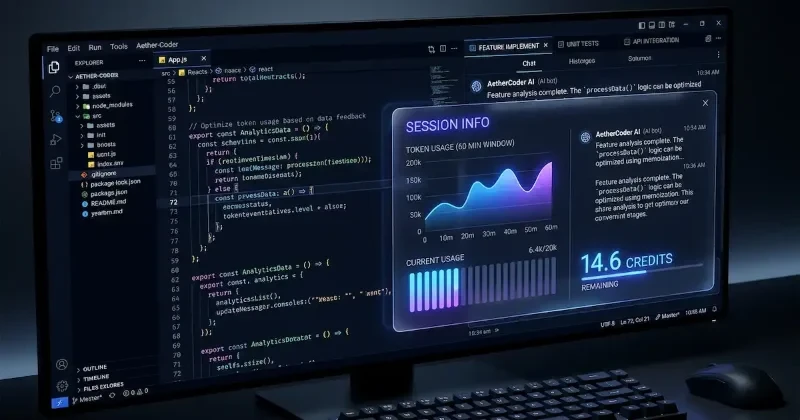
Released on June 24, 2026, VS Code 1.126 introduces critical upgrades tailored for developers relying heavily on Copilot and external LLMs. The headline feature is session-level cost tracking. Instead of calculating expenses by individual message turns, the chat UI now displays the total accumulated cost for an entire conversation session. This update also surfaces exact token distribution metrics, showing precisely how much of your context window is occupied by system instructions, tool definitions, and user context.
To simplify model management, Microsoft consolidated the configuration experience. The previous setup required toggling independent menus to tweak an AI model's performance; this release rolls context size and reasoning (thinking) effort controls into a single unified model customization picker. Hovering over active models like GPT-5.5 now reveals direct links to these configuration sliders alongside clear, scannable text indicators labeling its capability tier and cost profile.
+-----------------------------------------------------------------+
|  Agents Window (Preview)                                        |
|  +-----------------------+  +--------------------------------+  |
|  | Tab 1: Implement Feature|  | Tab 2: Draft Unit Tests (New)  |  |
|  +-----------------------+  +--------------------------------+  |
|  [Both chats share the same workspace & agent session context]   |
+-----------------------------------------------------------------+
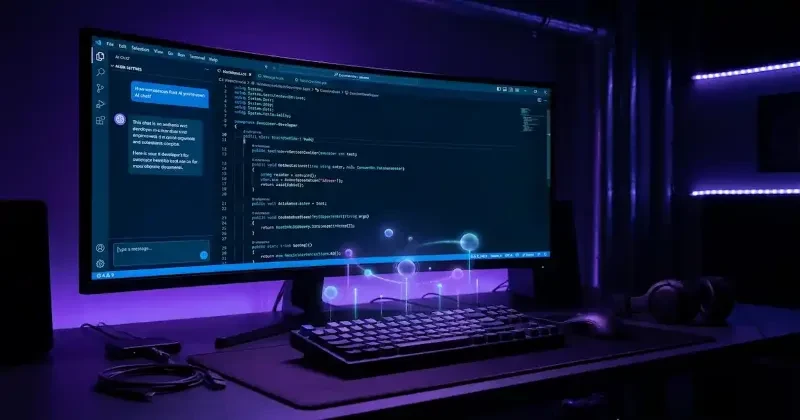
Simultaneously, the temporary Agents window preview gains multi-chat session persistence. Developers can now run multiple parallel chats inside a single Copilot agent host session. This allows you to delegate a long-running implementation task in one tab while spinning up a separate tab to draft tests or document code under the identical context workspace, without interrupting the active agent execution. These distinct conversational tabs can be individually renamed and will persist fully across editor window reloads.
Finally, the release modernizes editor security boundaries by modifying Workspace Trust. Opening an unrecognized folder will no longer halt your environment with an immediate pop-up modal. Instead, folders open instantly in a passive, sandboxed Restricted Mode, displaying a non-intrusive top banner that stays active until you explicitly grant trust privileges.
Developer Impact
If you are building complex systems using advanced models like Claude 4.8 Opus or GPT-5.5 within your editor, this update fundamentally alters your workflow loop. The ability to spin up parallel chats sharing a unified workspace context means you no longer experience context-switching penalties when changing tasks. You can keep your primary feature implementation chat clean while utilizing secondary tabs to sanity-check PR comments or review logs.
Furthermore, the server-side persistence of agentic comments ensures that your code reviews remain completely anchored to the host, even if your local client disconnects midway through an execution. The security tweaks also protect indie hackers and consultants who pull down massive, unverified repositories daily—opening projects in a silent Restricted Mode prevents automated build scripts or malicious extensions from executing before you review the source code file structure.
Our Analysis
VS Code 1.126 marks a crucial transition point: IDEs are evolving from static text editors into comprehensive orchestrators for autonomous software agents. Microsoft's decision to prioritize session-level cost transparency is an excellent, pro-developer move. For a long time, using advanced reasoning models inside the IDE felt like writing a blank check. By exposing exactly how tool definitions and system prompts chew through your context window, developers can actively debug their token burn rate just like they profile memory leaks.
We predict that this focus on granular LLM resource profiling will force a shift in how extension developers build agent tools. If your custom agent has bloated tool definitions, the new UI will explicitly flag it to the user as an expensive dependency.
When contrasted with older configurations or standard web playgrounds that obscure systemic overhead, this interface offers unparalleled visibility. Combining reasoning effort and context size limits into a single consolidated slider proves that Microsoft recognizes the trade-offs inherent to frontier models: higher reasoning demands more tokens and higher processing costs. It keeps developers firmly in control of the financial realities of building software with AI.
| Feature / Setting | VS Code Pre-1.126 | VS Code 1.126 (Current) |
| AI Cost Transparency | Turn-by-turn tracking only | Full session-level accumulated cost breakdown |
| Model Customization | Separate dropdowns for context & reasoning | Unified Model Customization Picker |
| Agent Workspace Chats | Single active conversation per session | Multiple parallel, tabbed chats per session |
| New Folder Security | Immediate intrusive trust prompt dialog | Silent launch in background Restricted Mode |
| Workspace Trust Editor | Included risky "Trust Parent" button | "Trust Parent" removed; manual path mapping only |
To take advantage of the updated, passive security flow or revert back to legacy prompt styles, you can tweak your global settings.json file. Here is how to configure the Workspace Trust behaviors introduced in version 1.126:
{
  // VS Code 1.126 default: Opens folders quietly in Restricted Mode without popping up a dialog
  "security.workspace.trust.startupPrompt": "never",

  // ALTERNATIVE: Uncomment the line below if you prefer the old behavior
  // and want an explicit prompt modal immediately upon opening a new folder.
  // "security.workspace.trust.startupPrompt": "once",

  // Disables automatic task execution while browsing untrusted code bases
  "tasks.runOnFolderOpen": "never"
}
FAQs
Q: Will running multiple chats in an agent session duplicate my token costs?
A: No. Because parallel tabs share the same base session and workspace context, you avoid reloading the entire repository context from scratch for each separate conversation window.
Q: How do I rename individual chat tabs inside the Agents window?
A: You can double-click any active chat tab or right-click it and select "Rename" from the context menu. Hit Enter to confirm your new name or Escape to cancel.
Q: Can I still trust an entire parent directory at once now that the button is gone?
A: Yes, though the quick-action button was removed to prevent accidental access escalations. You can still manually include parent directory paths inside the Trusted Folders & Workspaces manager list.
Q: Do my agent feedback comments disappear if my internet drops or VS Code reloads?
A: No. Comments left on generated code are stored directly on the agent host server rather than inside your temporary local client session, preserving them across windows and disconnects.
Our Take
VS Code 1.126 provides exactly what modern builders need: control, visibility, and multi-tasking capabilities. By making AI token expenditures transparent and untangling the workspace trust flow, Microsoft is polishing the developer experience for an agentic future. Keep an eye on how your current extensions interact with these context breakdowns to optimize your local setup. We will continue monitoring the IDE landscape closely as these developer tool ecosystems mature.